
The modern world owes a great deal to the concept of virtualization technology. As the fundamental backbone for most IT infrastructure, server virtualization has allowed us to evolve with the demands of our times, offering a platform for easier, more accessible, and more scalable processing power. Most importantly, server virtualization has expanded the cloud computing field, providing optimized resource allocation and infrastructure consolidation that have improved the way we approach computing and heavy workload flexibility today.
In this article, we explore the key components of server virtualization architecture, especially when it comes to the idea of enterprise virtualization. Now, at the heart of this detailed virtualized structure lies the hypervisor, which we can safely group into two types. We’ll be examining the differences between the types, alongside the benefits, challenges, and best practices of virtualized environments. For now, let’s get a grip on the basics of the topic.
What Is Server Virtualization Architecture?
Virtualization infrastructure allows you to run multiple Virtual Machines (VMs) on a single server by using and dividing that server’s physical hardware resources, like CPU, RAM, networking, and sometimes storage. The isolation of these resources gives you access and control over multiple VM architecture servers and allows you to pool your resources for compute virtualization. The server virtualization architecture needs a software layer to fully realize its role, though, and that’s called the hypervisor.
What Is a Hypervisor?
A hypervisor, or Virtual Machine Monitor (VMM), is the software layer that allows multiple VMs to operate at the same time on a single server. The hypervisor software divides hardware resources into isolated environments, allowing each of these to run its own operating system. This virtualization layer acts as a control measure, allocating resources and managing the overall workload for the virtual machines it helps to set up.
The hypervisor architecture handles CPU, memory, and storage virtualization, ensuring that each virtual server created can run independently with the resources allocated to it. Generally, hypervisors can be categorized into two groups: the type 1 hypervisor and the type 2 hypervisor. The first type interacts directly with the underlying hardware, while the second type runs on top of a host operating system. Let’s get to know each type a bit better now, starting with type 1 hypervisors.
Understanding Type 1 Hypervisors
A type 1 hypervisor, also known as a bare-metal hypervisor, runs directly on the physical hardware without relying on a host operating system. Interacting directly with the hardware layer provides optimal performance and security for resource-intensive systems, making it a suitable enterprise hypervisor for large-scale deployments, like data centers and cloud environments.
How Do Type 1 Hypervisors Work?
Using bare metal virtualization, type 1 hypervisors operate directly with physical hardware components. This allows multiple VMs to run simultaneously while reducing the risk of latency and security vulnerabilities that could be exploited in a hosted virtualization environment. The direct hardware virtualization used here ensures optimal resource usage, efficiency, and VM isolation. It’s made up of the Hardware Abstraction Layer (HAL) that manages resource allocation, the Virtual Machine Manager (VMM), and the management console user interface for system administration and VM configuration.
Advantages of Type 1 Hypervisors
The benefits of type 1 hypervisors mostly add up to performance, scalability, and security, and can be listed as:
- Lower Overhead: Without a separate host OS to consume resources overhead, the bare metal hypervisor can provide near-native performance.
- Resource Utilization: Direct contact with hardware resources allows the type 1 hypervisor to allocate resources efficiently.
- Strong Isolation: Once the resources are divided up, type 1 hypervisors keep them isolated without interfering with one another for the effective functioning of each virtual machine. Type 1 hypervisors can provide stronger isolation and fewer dependency layers than hosted architectures, helping organizations reduce potential security exposure.
- Scalability: They also ensure a scalable virtualization platform by allowing you to tailor and manage resources and software installations with flexibility.
Common Type 1 Hypervisor Uses
Type 1 hypervisors are often used in large enterprises and businesses where large amounts of data and resources need to be processed and allocated. Examples of type 1 hypervisor use cases often include:
- Data Centers: Bare metal hypervisors can be used for data center virtualization to run mission-critical workloads, databases, and ERP systems.
- The Core Engine for Enterprise HCI: Enterprise Hyper-Converged Infrastructure (HCI) relies on the type 1 hypervisor as its foundational compute virtualization layer, combining it with software-defined storage and networking.
- Cloud Environments: Cloud providers tend to use type 1 hypervisors for a secure, scalable, and efficient virtual environment for their clients.
- Large-scale VM Environments: With optimized resource management, bare metal hypervisors are fit for large-scale virtualization.
Now that we’ve covered the type 1 section of hypervisors, let’s look at the other type of hypervisor.
Understanding Type 2 Hypervisors
The type 2 hypervisor, or the hosted hypervisor, runs on top of a host Operating System (OS). It can also be described as a desktop virtualization software as it runs directly on the desktop as an application. This makes it easier to deploy and use, which benefits small-scale consumer environments and testing.
How Do Type 2 Hypervisors Work?
A type 2 hypervisor interacts with the underlying host machine hardware through the host machine’s OS. After being installed on the machine, it runs as an application and negotiates with the host OS for resources; however, the host OS often prioritizes its own functions and applications over the virtual workloads.
This hosted virtualization architecture of the type 2 hypervisor introduces an element of latency that can make it slower than type 1 hypervisors and more vulnerable to security risks in the host OS, which could also compromise the VMs running above it.
Advantages of Type 2 Hypervisors
The main benefit of type 2 hypervisors is the lightweight virtualization, convenience, and flexibility it affords smaller-scaled environments. The benefits of the type 2 hypervisor include:
- Virtualization for Testing: Type 2 hypervisors are flexible and user-friendly for developers and testers who need to run multiple virtual machines on their personal computers.
- Easy Installation: Unlike type 1 hypervisors, a type 2 hypervisor is installed as a regular plug-and-play application for optimal usage and setup.
- Flexible Hardware Requirements: While type 2 hypervisors introduce higher performance overhead due to the host OS, they run on existing client hardware without requiring dedicated, standalone servers. This makes them highly cost-effective and easier to deploy, migrate, or manage for smaller-scale development workloads.
Common Type 2 Hypervisor Uses
Generally, type 2 hypervisors are a good fit for small-scale businesses or lab testing for developers. The desktop VM software can be typically used in these cases:
- Software Testing: Type 2 hypervisors can be used for developer virtualization to build, test, and run software without needing multiple physical computers.
- Learning Environments: They can be used in experimental and learning environments where performance and security are not the main priority.
- Virtualization in Small Offices: They can create lightweight virtual environments and desktops for smaller offices and workstations.
So, now that we have a firmer grip on what the two types of hypervisors are, let’s get into the details of how they compare to one another.
Key Differences: Type 1 vs Type 2 Hypervisors
Now, we’ve already covered the basics of the type 1 vs type 2 hypervisor debate; let’s do a quick recap of how these two contrast. While both types of hypervisors generally have the same goal of resource allocation and establishing an effective server virtualization architecture, they still operate differently and lead to varying results. To explain the hypervisor comparison a bit more, we’ve also drawn up a handy table to showcase the differences.
| Feature | Type 1 Hypervisor | Type 2 Hypervisor |
| Architecture | Bare-metal, operating directly on the hardware | Runs on top of the host Operating System |
| Performance | Optimized performance, more suited to enterprise use | Moderate performance overhead, ideal for testing |
| Security | Enhanced isolation to minimize the attack surface | Inherits the security of the host OS, better suited for general use |
| Scalability | Enterprise-grade | Limited |
| Deployment | Can be complex | Easier to deploy |
| Common Use Cases | Data centers, cloud infrastructure, HCI | Testing, lightweight virtual desktops, development |
| Resource Efficiency | Higher | Lower |
| Cost | Higher upfront investment | Affordable for small-scale use |
While there are many differences between type 1 and type 2 hypervisors, they ultimately have the same purpose in the long-run and are made to suit specific needs in certain settings.
Which Hypervisor Architecture Is Better for Enterprises?
Type 1 hypervisors are a good choice for an enterprise virtualization platform. While the best hypervisor for enterprise usage ultimately depends on the client, type 1 hypervisors are more adept at keeping up with the intense workloads and processing needs of larger organizations. Let’s still go over some reasons why:
- Enhanced Scalability: Large enterprises often need a scalable virtualization architecture. With a type 1 hypervisor, your business is free to grow and scale according to your needs.
- Lower Overhead: Type 1 hypervisors don’t deal with host operating system resource allocation, which helps with the CPU-intensive workloads that enterprises usually have to face.
- Enhanced Security: Enterprises often run into many security threats daily. By isolating VMs, type 1 hypervisors can protect sensitive workloads in industries such as finance and healthcare, where data protection is non-negotiable.
- High Availability Support: Type 1 hypervisors can support high availability when deployed as part of a clustered virtualization architecture, helping minimize service disruptions and maintain business continuity.
- Production-grade Performance: A large organization has steep performance demands. A type 1 hypervisor can handle these needs due to its reduced latency and optimized resource allocation.
Enterprises can use type 1 hypervisor platforms for scalability, security, and flexibility. Now, let’s see how much hypervisors have helped to push the bar with modern infrastructure.
How Hypervisors Support Modern HCI and Cloud Infrastructure
In the modern world, there are several ways in which server virtualization has improved and elevated different processes. For example, we can look at how the hypervisor fits into the HCI virtualization architecture. A Hyperconverged infrastructure, or HCI, is a unified IT framework that combines compute, networking, and storage on a single platform. This lowers complexity and costs while enabling better scalability, flexibility, and agility in managing and deploying IT resources.
These hyperconverged infrastructures can also be used to build a private or hybrid cloud virtualization platform through the use of a hypervisor by allocating enough resources, scalability, and security. An HCI can simplify cloud deployment, ensure agility, and improve access to data and applications in virtual environments or software-defined infrastructure.
Type 1 hypervisors are typically the best choice for hyperconverged infrastructure and most modern applications due to their ability to directly manage resources at large capacity with enough scalability and pace. This also includes the ability to improve automation-driven infrastructure that demands precision and speed. Now, it’s not always a simple task to set up your server virtualization.
Common Challenges in Server Virtualization Architecture
Server virtualization offers important capabilities, improving the agility, scalability, and resource usage through your choice of hypervisor. However, there can be a few challenges along the way as well. So, let’s go over some of the issues you might encounter on your road to server virtualization.
Resource Contention
Virtualization performance issues often stem from having too many VMs that share the same host. In this way, they end up competing for CPU, memory, and storage capacity, which can lead to performance issues. This is often referred to as the ‘noisy neighbor’ problem in virtualization. With regular monitoring and dynamic resource allocation, you can help to mitigate this issue.
Security Isolation Risks
Hypervisor security risks can happen due to misconfigured hypervisors that create vulnerabilities in the system.
Management Complexity
Managing a large virtual environment can be difficult. Without the right tools, skills, and centralized control, these environments can fall apart. VM sprawl refers to the excessive and uncontrolled expansion of virtual machines within a virtual infrastructure, which eats up resources unnecessarily. This is one way virtualization can fail due to negligence, poor monitoring, and bad management.
Scalability Planning
Virtualization scalability challenges occur when hardware-level bottlenecks, unpredictable workload dependencies, and management complexity override the proper architecture design needed for infrastructure growth. By over- or under-provisioning, you can actively degrade your resources and efficiency with poor planning.
Now, to get the upper hand when faced with all these types of server virtualization challenges and obstacles, it’s important to always follow some guidelines when implementing your virtualization architecture.
Best Practices for Building Your Modern Virtualization Infrastructure
Every modern virtualized setup needs a few vital elements to ensure effective infrastructure and scalable server virtualization. To help you out on this journey, we’ve put together some virtualization best practices that you could put to use for your successful enterprise virtualization strategy:
- Choose a Type 1 Hypervisor for Production Environments
As we’ve mentioned before, the type 1 hypervisor is fit for high-performance and high-demand environments where efficiency, security, and scalability are crucial. With direct resource contact, its bare-metal architecture can quickly and easily handle resource-intensive workloads.
- Standardize VM Management
Establishing uniform rules, templates, and procedures to create, configure, monitor, and decommission VMs allows you to optimize resource allocation and ensure agility and consistency across your IT environment.
- Automate Provisioning
Automation helps to reduce latency and human error while improving accuracy. By automating the provisioning of resources in your virtualization architecture, you can dynamically allocate, configure, and deploy VMs with predefined software workflows. This reduces repetitive, time-consuming tasks and deployment times to ensure uniform security and configuration standards across your infrastructure.
- Implement High Availability
High Availability ensures that services remain operational and accessible despite any failures or disruptions. By implementing high availability, you configure your IT system to stay up and running close to 100% of the time. This minimizes disruptions during both planned and unplanned outages, allowing your virtualization stack to recover and restart the VMs automatically as quickly as possible.
- Continuously Monitor Resource Utilization
By regularly checking in on performance, you can identify bottlenecks and adjust resource allocation for the best outcome. Optimization strategies like load balancing and resource pooling help to maximize efficiency. You can also use performance monitoring tools to gain insights into the health and performance of your virtual environment.
These are all solid and efficient recommendations that will improve your server virtualization journey. However, for most people, the ultimate goal of this virtualized architecture is to enhance the situation your enterprise is in. This requires the expertise and professional capabilities of a trusted virtualization specialist.
VMware was a common choice in this area; however, following its acquisition by Broadcom, many companies sought VMware alternatives for their virtualization needs. Faced with obstacles like higher licensing fees, fears of vendor lock-in, and the need for AI-ready infrastructure, Sangfor Technologies quickly emerged as a proven VMware alternative, offering an HCI platform that enables seamless migration, simplified operations, and reduced licensing complexity—without compromising performance or reliability.
How Sangfor Supports Modern Server Virtualization Architecture
Sangfor Technologies is a modern cloud computing and cybersecurity provider that offers a unified, AI-enabled cloud infrastructure to simplify operations and accelerate digital transformation and scalable server virtualization for modern enterprises. With integrated HCI capabilities, companies can use Sangfor products to streamline processes and resource optimization.
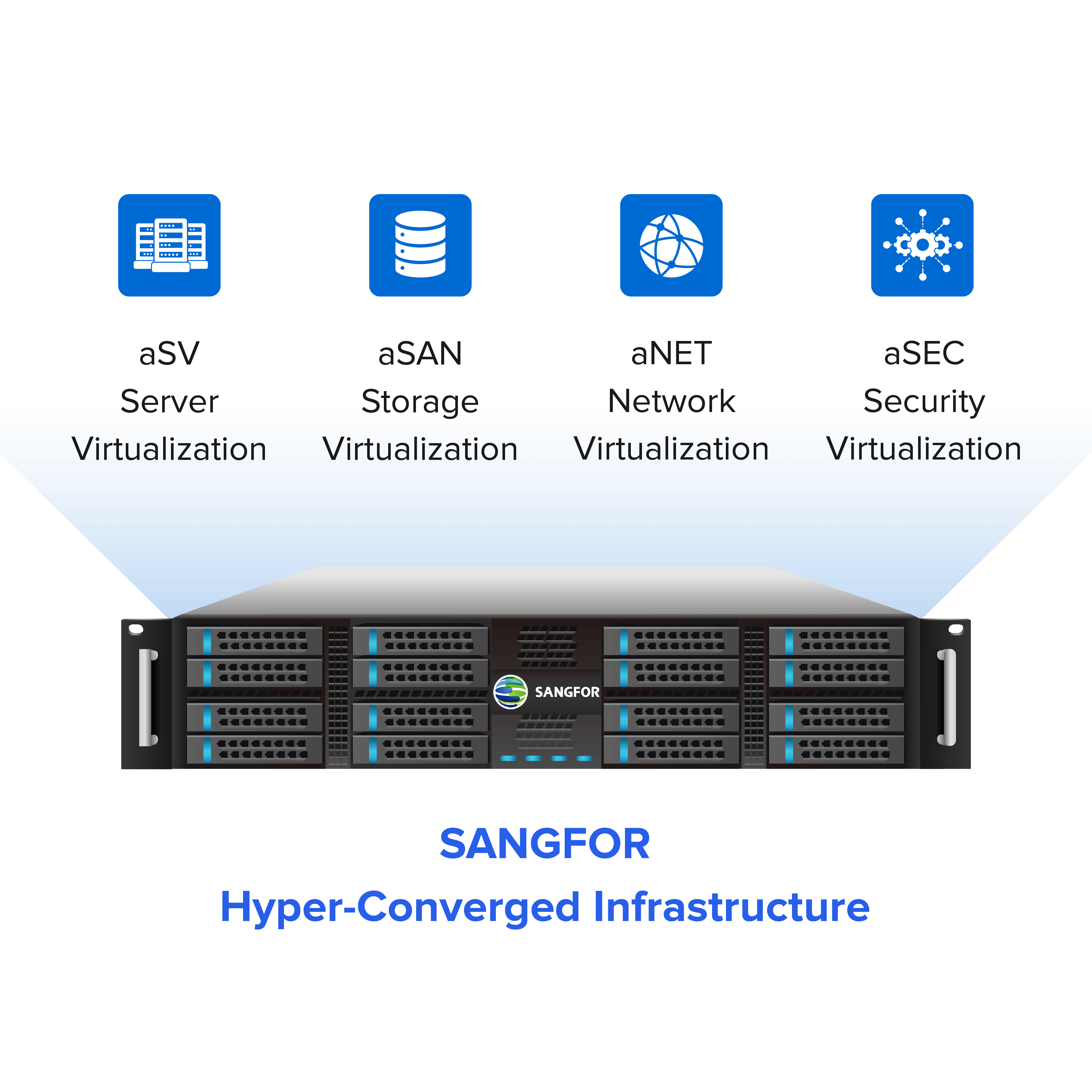
Sangfor aSV (Sangfor HCI's hypervisor) utilizes intelligent resource scheduling and dynamic resource allocation to help maintain guest OS performance comparable to legacy ESXi environments. Built on an optimized KVM architecture, aSV serves as the virtualization foundation of Sangfor HCI. When integrated with aSAN (storage virtualization), aNET (network virtualization), and aSEC (security virtualization), it forms a comprehensive, full-stack HCI platform designed to support modern enterprise workloads.
Sangfor’s Hyper-Converged Infrastructure (HCI) unifies computing, storage, networking, and security into a single, cohesive platform. Built on type 1 hypervisors, Sangfor HCI provides high performance, low latency, and robust security, making it a trusted choice for enterprise virtualization.
The platform also offers centralized and simplified management alongside a scalable architecture ideal for growth. High availability support and security also ensure that your systems avoid the risk of disruptions or vulnerabilities. In an AI-driven world, Sangfor’s HCI platform is also a conveniently AI-enabled and ready cloud infrastructure for unified compute, network, storage, and built-in security.
Final Thoughts
When it comes to server virtualization architecture, there are different routes to travel. The future of modern IT infrastructure depends on how companies understand the differences, applications, and benefits of both Type 1 and Type 2 hypervisors to ensure scalable, secure, and future-ready environments. At Sangfor Technologies, we offer an advanced enterprise virtualization platform with integrated HCI, alongside enterprise-grade virtualization solutions that will actively push for a more efficient approach to computing.
Frequently Asked Questions
Type 1 hypervisors run directly on hardware, while Type 2 hypervisors run on top of a host operating system.
The Type 1 hypervisor is generally preferred for enterprise environments due to its scalability, performance, and security.
Type 2 hypervisors are a better fit for flexible, smaller-scale environments like development and testing.
Hypervisors enable infrastructure consolidation by running multiple virtual machines on a single physical server, significantly reducing hardware and energy footprints. Specifically, type 1 hypervisors maximize this efficiency in data centers by interacting directly with the hardware, eliminating the heavy resource overhead associated with a host operating system.
Yes, companies often combine Type 1 hypervisors for enterprise workloads with Type 2 hypervisors for testing and development. This hybrid approach leverages the strengths of both hypervisor types.
Yes. Sangfor aSV is a next-generation, type 1 hypervisor that supports mission-critical workloads with enterprise-grade virtualization and seamless integration across Sangfor’s full-stack cloud ecosystem.
Examples of Type 2 hypervisors include VMware Workstation and Oracle VirtualBox.
Sangfor’s HCI uses Type 1 hypervisors to provide high performance, scalability, and simplified management. With an enterprise-focused design, it’s a trusted HCI solution for enterprise virtualization.