
Summarize this glossary article with AI:
 Ask ChatGPT
 Ask Grok
 Ask Perplexity
 Ask Claude
 Ask Google AI
Key Takeaways
Serverless computing is a modern way of building applications where developers do not have to worry about managing, patching, or scaling physical or virtual servers. The cloud provider takes care of all the background infrastructure, allowing teams to focus 100% on writing their core code. It runs on an event-driven model, meaning the system automatically starts up in milliseconds when needed and scales down to zero when the work is done. This means companies only pay for the exact fraction of a second their code is actively running, removing the wasted cost of paying for idle, unused servers.
Simple Explanation
Imagine you want to start a gourmet coffee business. In a traditional setup, you have to rent a physical storefront, buy expensive espresso machines, pay monthly rent, and hire full-time staff—even if no customers walk through the door on a rainy Tuesday. You are paying for the capacity to serve coffee, not the coffee itself.
Serverless computing is like replacing that physical shop with a network of high-tech, automated coffee vending machines scattered across the city. You don't own the machines, you don't pay monthly rent, and you don't sweep the floors. When a customer walks up and presses a button (an "event"), the machine instantly grinds the beans, pours the cup, and charges the customer. When nobody is standing in front of the machine, it sits completely dormant, costing you absolutely nothing.
The term "Serverless" is a bit misleading; servers definitely still exist. However, they are hidden from view. For developers, it means focusing entirely on writing application code, while the cloud vendor handles all the heavy lifting in the background.
1. What is Serverless Computing?
Serverless computing is a cloud computing model where the cloud provider automatically manages the infrastructure, scaling, and resource allocation required to run applications.
To truly understand this concept, it helps to look at how cloud hosting has evolved over the years. In the early days of the internet, running an app required buying and managing physical hardware. The rise of cloud computing introduced Infrastructure-as-a-Service (IaaS), where companies could rent virtual machines but were still responsible for installing updates and setting up scaling rules. According to the historical definition of serverless computing, the ultimate goal of modern cloud tech is to take these infrastructure worries away completely.
The Two Pillars: FaaS and BaaS
Serverless computing achieves this by breaking applications down into smaller, independent parts that only run when needed. It relies on two main components:
- Function-as-a-Service (FaaS): This is the core piece where developers upload small, modular blocks of code (called functions) that perform one specific task.
- Backend-as-a-Service (BaaS): These are ready-made cloud services—like file storage, user login tools, and databases—that the code functions can easily connect to using simple web links (APIs).
Hiding the Infrastructure
By separating the application code from the actual hardware, serverless setups remove daily maintenance tasks like security patching, backup planning, and server setups. The cloud platform automatically ensures the app stays online and runs smoothly.
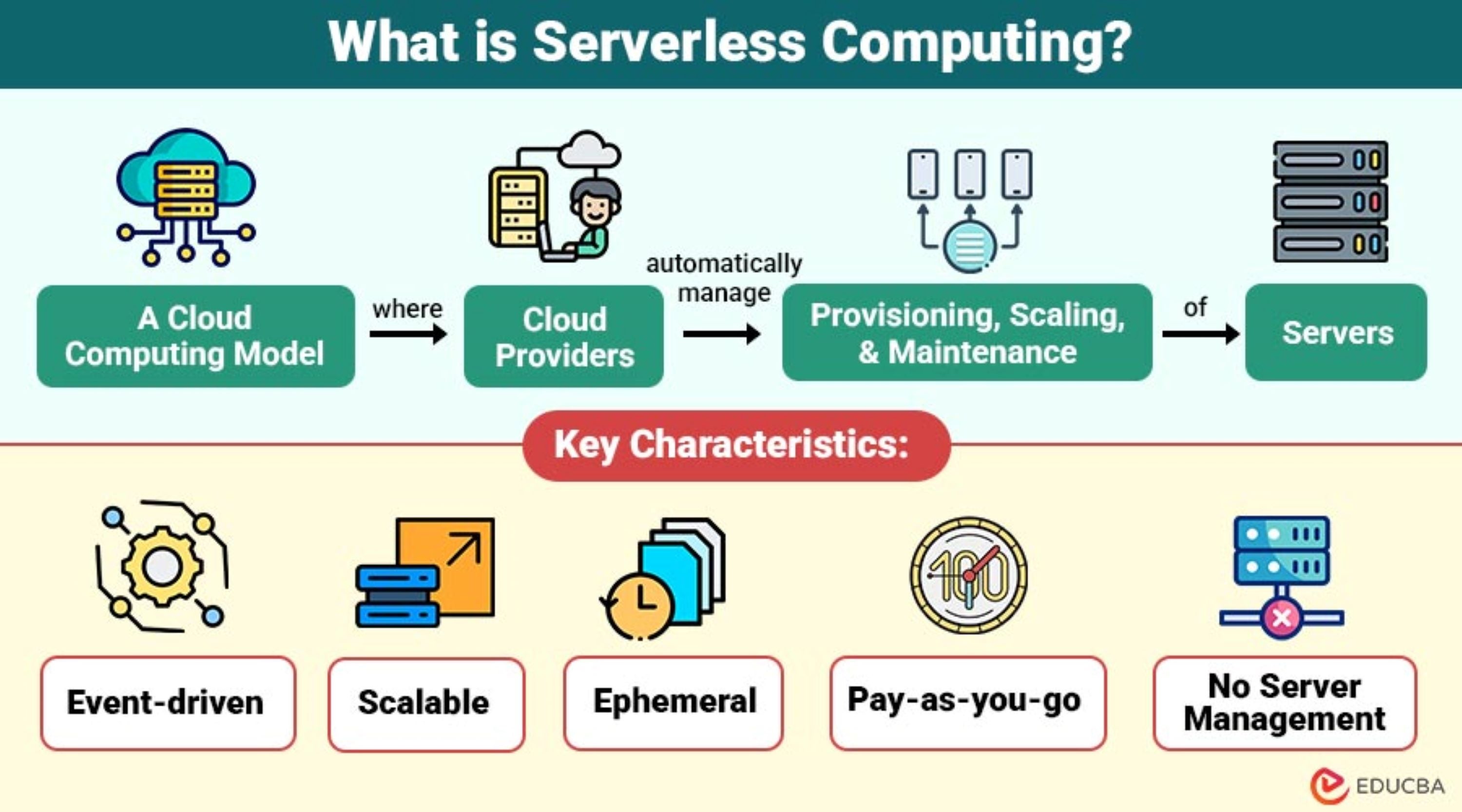
Image Source: EDUCBA
2. How Does Serverless Computing Work?
The way a serverless setup works is completely different from a traditional, always-on server. Instead of running 24/7, it relies on a highly automated "on-demand" system.
The Event-Driven Model
Serverless functions do not run all the time. Instead, they sleep until they are triggered by a specific action, known as an "event." These events can be things like a user clicking a button, a new customer registration, or a photo uploaded to a website. When an event happens, the cloud platform instantly wakes up the system, creates a secure space to run the code, and executes the task.
Understanding Cold Starts vs. Warm Starts
Because resources are handed out dynamically on-demand, serverless systems experience two different performance states:
- Cold Start: If a function hasn't been used in a while, or if a sudden rush of visitors requires a new server space to open up, the system takes a brief moment to set everything up from scratch. This can cause a tiny delay.
- Warm Start: If a function was used just a few moments ago, the system keeps that space "warm" and ready. The next user's request is handled instantly with no setup delay.
Pay-per-Millisecond Billing
Unlike traditional virtual servers that charge you by the hour even if no one is using them, serverless tracking is incredibly precise. You are billed only for the exact number of requests and the exact milliseconds your code runs. If a function takes 200 milliseconds to complete its task, you only pay for those 200 milliseconds. When traffic drops to zero, your costs drop to zero too.
3. Compare Serverless Computing with Other Cloud Models
Choosing the right cloud model depends on how much control you want to keep versus how much work you want to hand over to the vendor.
| Cloud Feature | Infrastructure-as-a-Service (IaaS) | Containers-as-a-Service (CaaS/K8s) | Serverless Computing (FaaS) |
| Server Management | Fully Manual (You update everything) | Semi-Managed (You manage clusters) | 100% Automated by the Vendor |
| Scaling Speed | Virtual Machines (Takes Minutes) | Containers (Takes Seconds) | Individual Requests (Milliseconds) |
| Cost Model | Always-on (Pay for capacity) | Pay for reserved cluster space | Pure Pay-per-use (Zero idle costs) |
| Setup Style | Requires custom setup | Requires manual connection rules | Native, built-in cloud triggers |
Understanding these differences helps businesses make the right choice. The main difference is the boundary of responsibility. While containers give tech teams deep control over the exact setup of their environment, serverless trades away that control for maximum speed, instant scaling, and zero infrastructure chores.
4. Serverless Computing Architecture: The Structural Components
A complete serverless application needs more than just compute functions; it requires a team of fully managed cloud pieces working together.
The API Gateway and Event Routers
Think of the API Gateway as the digital front door of the application. It accepts incoming requests from users' smartphones or web browsers, checks their security permission, and directs them to the correct serverless function. Event routers do similar work for internal tasks, making sure that when a file is uploaded, the right piece of code is notified immediately.
Serverless Storage and Cloud Databases
Traditional databases often struggle with serverless tech because they require constant, open connections that can break under sudden traffic spikes. Modern serverless ecosystems use specialized, auto-scaling databases. These databases can easily handle thousands of sudden, short-lived user requests without slowing down or crashing.
5. Benefits and Challenges of Serverless Computing
Before moving important company workloads to this technology, it is important to weigh the pros and cons objectively.
Benefits
- Instant, Automatic Scaling: Serverless setups grow horizontally and smoothly. Whether your website gets 10 visitors a day or 10,000 visitors per second during a flash sale, the system expands on its own without any human help.
- Faster Time-to-Market: Developers can focus entirely on writing features. Because they don't have to wait for server configurations, products can be built and launched much faster.
- Excellent Cost Savings: Getting rid of idle server space stops financial waste. Businesses can drastically cut cloud bills by only paying for active computing time.
Challenges
- Vendor Lock-In: Serverless apps rely heavily on the specific tools and APIs of the provider you choose. Moving a complex application from one cloud vendor to another later on can require rewriting a lot of code.
- Difficult Troubleshooting: Because serverless code runs in short bursts and then disappears, standard tracking tools don't work well. Engineering teams have to use special monitoring software to see what is happening.
6. Serverless Computing Use Cases
While serverless isn't the perfect fit for every single type of software, it works incredibly well for tasks that fit its on-demand nature.
Real-Time Media and Data Processing
When a user uploads a new profile picture or video to an app, a serverless function can instantly wake up, resize the photo into a thumbnail, save it, and then instantly shut down.
Web APIs and App Backends
Modern mobile apps use serverless code to handle background requests. Each specific feature (like a checkout button or fetching a user profile) runs on its own isolated function. This means if one feature gets a bug, the rest of the app stays safely online.
7. The Future of Serverless Computing
As cloud platforms continue evolving, serverless computing is expected to play an even bigger role in modern application development. Cloud providers are improving cold start performance, observability, and multi-cloud compatibility, making serverless computing architecture more suitable for enterprise workloads, AI services, and real-time applications.
At the same time, many organizations are combining serverless with containers and Kubernetes to create more flexible hybrid cloud environments. According to GeeksforGeeks’ analysis of the future of serverless computing, future innovations will likely focus on lower latency, stronger security, and broader enterprise adoption.
Community discussions also show a more balanced view of serverless computing. In a popular Reddit AWS discussion on whether serverless is worth the hype, many developers praised its automatic scaling and cost efficiency for APIs and event-driven workloads, while also noting challenges such as vendor lock-in and debugging complexity. The overall takeaway is that serverless computing works best when matched with the right use cases and workload design.
Conclusion
Serverless computing has become an important part of modern cloud infrastructure by removing the need to manage servers manually. Its ability to scale automatically, reduce operational overhead, and support pay-per-use pricing makes it highly attractive for APIs, automation, and event-driven applications.
While challenges like cold starts and vendor lock-in still exist, the benefits of serverless computing in 2026 continue to drive adoption across industries. As serverless computing architecture keeps evolving alongside AI, containers, and hybrid cloud environments, it will remain a key technology for businesses looking to build scalable and cost-efficient applications.
Frequently Asked Questions of Serverless Computing
No. Servers are definitely still used to run the code. The word "serverless" just means that all the chores of managing, updating, and scaling those servers are completely handled by the cloud provider instead of your own tech team.
You should avoid serverless for long, continuous tasks, like running a 24/7 video streaming feed or heavy data mining. Because serverless bills you by the minute, running code continuously non-stop is usually much more expensive than just renting a standard, traditional virtual server.
A cold start is the tiny delay that happens when a serverless function is triggered after sitting empty for a while. The cloud platform has to build a new running environment from scratch. Developers can reduce this by keeping their code clean and lightweight, or by using special "pre-warmed" settings offered by the vendor.
It depends on your website traffic. If your traffic goes up and down unpredictably, or if you have quiet periods, serverless saves a lot of money because you pay $0 for idle time. However, if you have a steady, predictable stream of heavy traffic 24/7, a traditional server model might offer a lower total cost.